























Small businesses make hundreds of decisions each week. How much stock to buy. Which invoice to chase. Whether a number in a report looks right.
Most of these decisions rely on experience and spreadsheets. That works until the business grows. Then small mistakes become expensive, and slow answers cost sales.
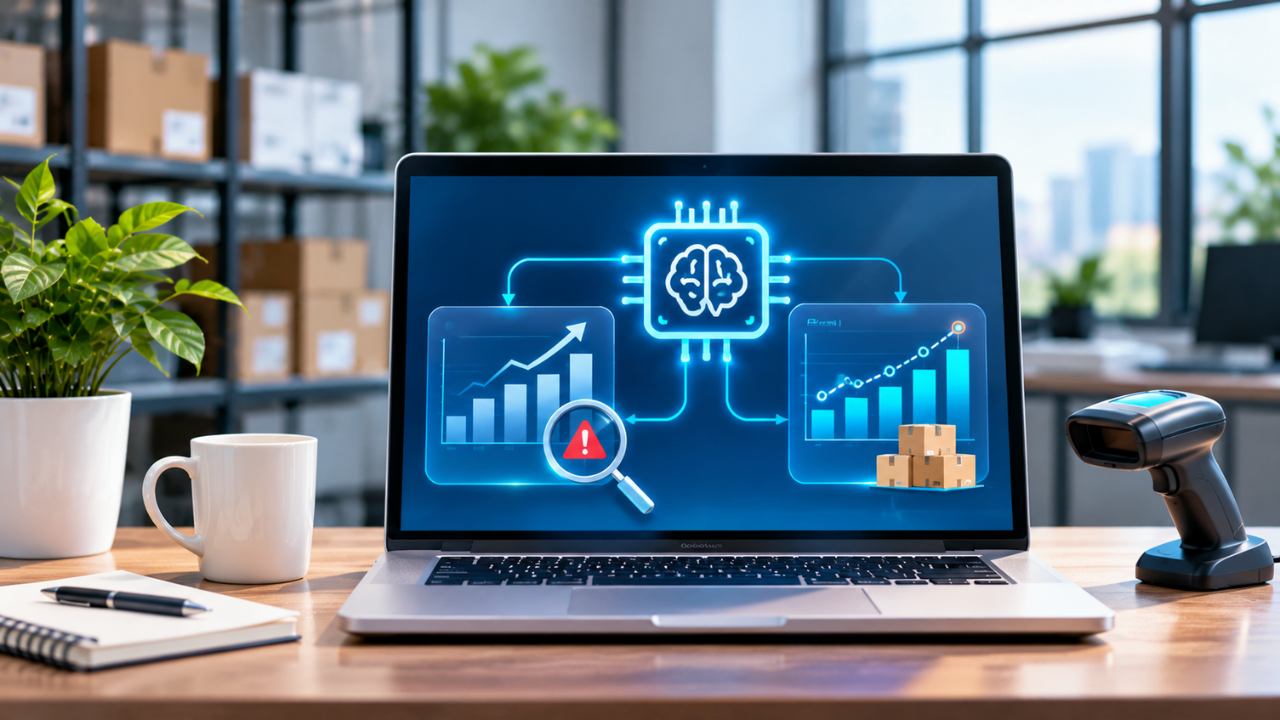
Artificial intelligence is now part of the conversation for SAP ERP for small business. It does not replace your team. It reads your data faster than any person can and points out what needs attention.
At Accelon Technologies, we help small and mid-size companies run SAP Business One. This blog explains how AI supports demand forecasting and early error detection. It also covers what your business needs to benefit from it.
Why Small Businesses Struggle with Forecasting and Errors
Before looking at AI, it helps to understand the problems it addresses. Each one is common in growing companies.
Demand Is Estimated, Not Calculated
Many owners forecast demand by looking at last month and adding a margin for safety. This ignores seasonality, festival peaks, and slow periods. It also ignores trends that build gradually over several months.
The result is stock that is too high for slow items and too low for fast ones.
Errors Are Found Too Late
A wrong rate on a purchase order, a duplicate invoice, or a stock entry with an extra zero often goes unnoticed. It surfaces at month end or during an audit. By then, correcting it takes far more effort.
Teams Lack Time to Review Everything
Small teams cannot check every transaction. They focus on large items and trust the rest. Small leaks therefore continue for months without anyone noticing.
Data Sits in Separate Places
When sales, stock, and accounts live in different tools, patterns stay hidden. A shortage in one area and a delay in another may be connected. Nobody can see the link.
Why SAP Business One Is a Strong Base for AI
AI is only as good as the data it learns from. SAP Business One keeps sales, purchasing, inventory, and finance in one database. Every transaction is recorded once and linked to the others. This matters for any SAP ERP for small business. Clean, connected history gives forecasting models something reliable to study. It also lets error checks compare a transaction against related records.
Businesses on disconnected tools find it hard to use AI well. The data is incomplete or inconsistent. The model then produces weak results.
How AI Helps Small Businesses Forecast Demand
Forecasting means estimating how much of each item customers will buy in a future period. Good forecasts guide purchasing, production, and cash planning.
Learning from Sales History
Machine learning models study past sales by item, customer, and period. They find patterns that are hard to see by eye. Examples include weekly cycles, seasonal peaks, and slow growth in a product line.
Separating Trend from Noise
A single large order can distort an average. AI methods can flag such outliers and reduce their effect. The forecast then reflects normal demand and not one unusual month.
Forecasts at Item Level
Instead of one number for the whole business, forecasts can be produced for each item or category. Buyers then see which products need more stock and which do not.
Feeding Purchase Planning
A forecast is useful only if it changes what you buy. When forecast data flows into purchase planning in SAP B1, buyers order against expected demand and current stock. This reduces both shortages and surplus.
Review by People Remains Essential
Your team knows about a big tender, a new customer, or a planned promotion. The model may not. The best results come when planners review the forecast and adjust it with this knowledge.
How AI Helps Catch Errors Early
Error detection means spotting entries that look wrong before they cause damage. AI does this by learning what normal looks like and flagging what does not fit.
Unusual Rates and Quantities
If a supplier’s rate for a material jumps well beyond its history, the system can flag it. The same applies to quantities that are far larger than usual for a customer or item.
Possible Duplicates
Duplicate invoices and repeated entries are common in busy offices. Matching logic can compare amounts, dates, and parties to surface likely duplicates for review.
Stock Mismatches
Sudden negative stock, unexplained adjustments, or movements that do not match documents point to process gaps. Early alerts let the stores team correct them while records are still fresh.
Payment and Credit Patterns
Changes in how a customer pays can signal trouble. Slower payments or growing overdue balances can be highlighted so that your accounts team acts sooner.
Alerts, Not Automatic Changes
A sound approach sends an alert to a person who decides what to do. Automatic correction without review can create new errors. Human judgment stays in control.
Why Forecasting and Error Checks Work Best Together
Forecasts depend on accurate history. If wrong entries stay in the data, the forecast learns from mistakes. Early error detection keeps the history clean.
The reverse is also true. Knowing expected demand makes unusual orders easier to spot. A quantity that looks normal in isolation may be far above the forecast.
Used together, the two capabilities improve each other. Your data stays cleaner, your forecasts get sharper, and your team spends less time fixing problems after the fact.
Benefits for Small Businesses
- Purchasing follows expected demand, so cash is not locked up in slow-moving stock.
- Fewer stockouts on fast-moving items protect sales and customer trust.
- Errors are caught close to the transaction date, which makes them cheaper to fix.
- Month-end closing becomes smoother because fewer corrections are needed.
- Small teams cover more ground because alerts direct attention to what matters.
- Management receives more reliable numbers for planning and funding decisions.
What You Need in Place Before Using AI
AI is not a switch that fixes poor data. A few foundations make the difference between useful results and disappointment.
- Clean item masters with no duplicate codes or unclear descriptions.
- Consistent entry of transactions in the system, not on side spreadsheets.
- At least a year of reasonably complete sales history for forecasting.
- Clear owners who review forecasts and respond to alerts.
Without these, even the best tool will struggle. With them, small businesses can see value quickly.
How Accelon Technologies Can Help
We implement and support SAP Business One for small and mid-size companies. Our first step is to review how your data is entered and organised. We then set up the structure that makes forecasting and checks reliable.
We also help your team decide which AI-supported capabilities fit your size and budget. Not every business needs every feature. We recommend what will pay back and leave out what will not.
After go-live, we stay involved. As your data grows and your questions change, we help you get more from the system.
Frequently Asked Questions
1. What is SAP Business One
SAP Business One is an ERP system designed for small and mid-size businesses. It manages finance, sales, purchasing, inventory, and reporting in one connected database.
2. How can AI help with demand forecasting in SAP Business One
AI models study historical sales data to find patterns such as seasonality and trends. They estimate future demand by item, which helps buyers plan purchases more accurately.
3. How much data is needed for AI forecasting
A year or more of consistent sales history is a good starting point. More history helps models learn seasonal patterns. Clean and complete data matters more than volume.
4. Can AI replace my planning team
No. AI supports planners by producing a baseline forecast and flagging issues. People still review results and add knowledge about customers, promotions, and market changes.
5. What kinds of errors can AI help catch
AI can flag unusual rates, abnormal quantities, possible duplicate entries, stock mismatches, and changes in customer payment behaviour. These alerts go to a person for review.
6. Does AI correct errors automatically
A sound setup raises alerts for review instead of changing records on its own. This keeps people in control and avoids creating new mistakes.
7. Is AI suitable for a small business with a limited budget
Yes, if the scope is kept practical. Start with the use cases that matter most, such as forecasting for key items and alerts for unusual transactions.
8. Why does SAP Business One suit AI use
It stores sales, purchasing, stock, and finance data in one database. This connected history gives forecasting and checking tools reliable information to work with.
9. What if my data is messy today
Data cleanup should come first. Fixing item masters, removing duplicates, and moving offline records into the system improves results from any forecasting or checking tool.
10. How do forecasts connect to purchasing
Forecast data can feed purchase planning so buyers order against expected demand and current stock. This reduces both stockouts and excess inventory.